
Intro
In my homelab I’ve been tediously managing firewall rules using ufw, iptables, and fail2ban. While this works well, I believe it’s overly complicated for my setup. This led me down the rabbit hole of how to implement firewall rules in Proxmox.
Proxmox’s firewall is extremely competent, but it can be tricky as well.
One thing I learned about Proxmox is that you need to make sure the firewall is enabled in multiple places. You have several layers of firewalling, one for the hosts, one for the VMs, and one for services running in VNETs. These firewall rules are backed by either iptables or the more modern nftables in the case of VNETs.
In this blog I’ll touch upon VM Security Groups.
Datacenter Firewall
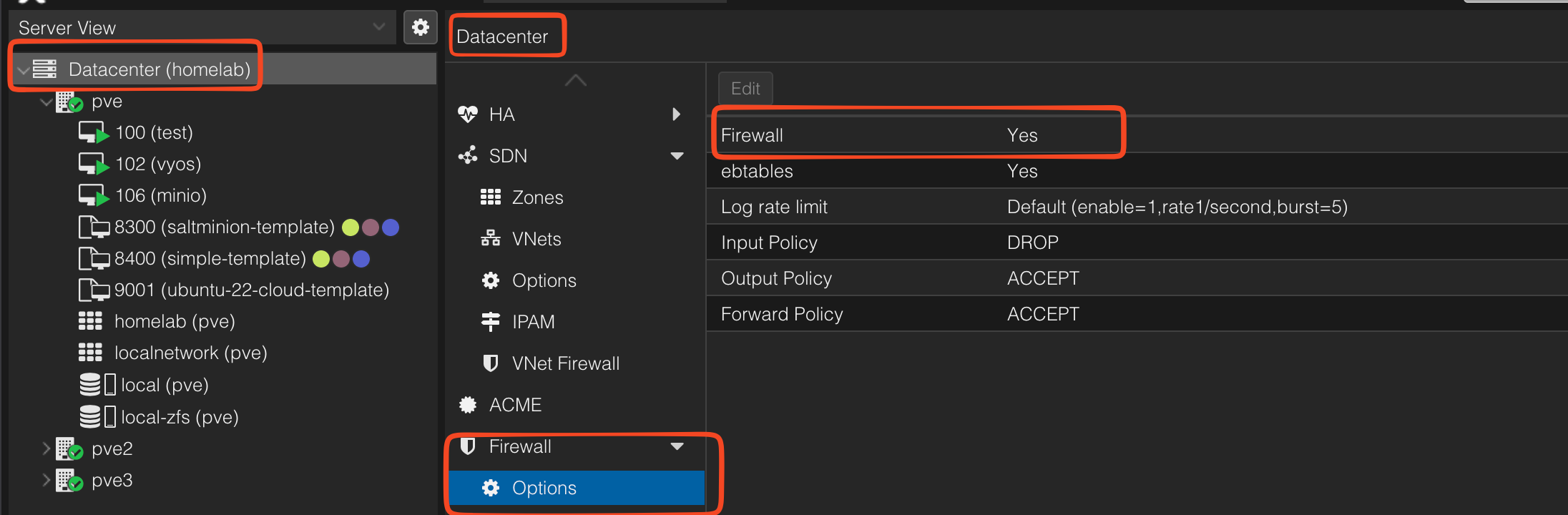
The first thing is to make sure the DC level firewall is enabled. Without this, none of your firewall rules will work, even the ones that target the VM specifically.
When you enable this firewall, please don’t forget to have rules for 8006 and 22 for management access.
Otherwise you’ll be locked out!

VM Firewall
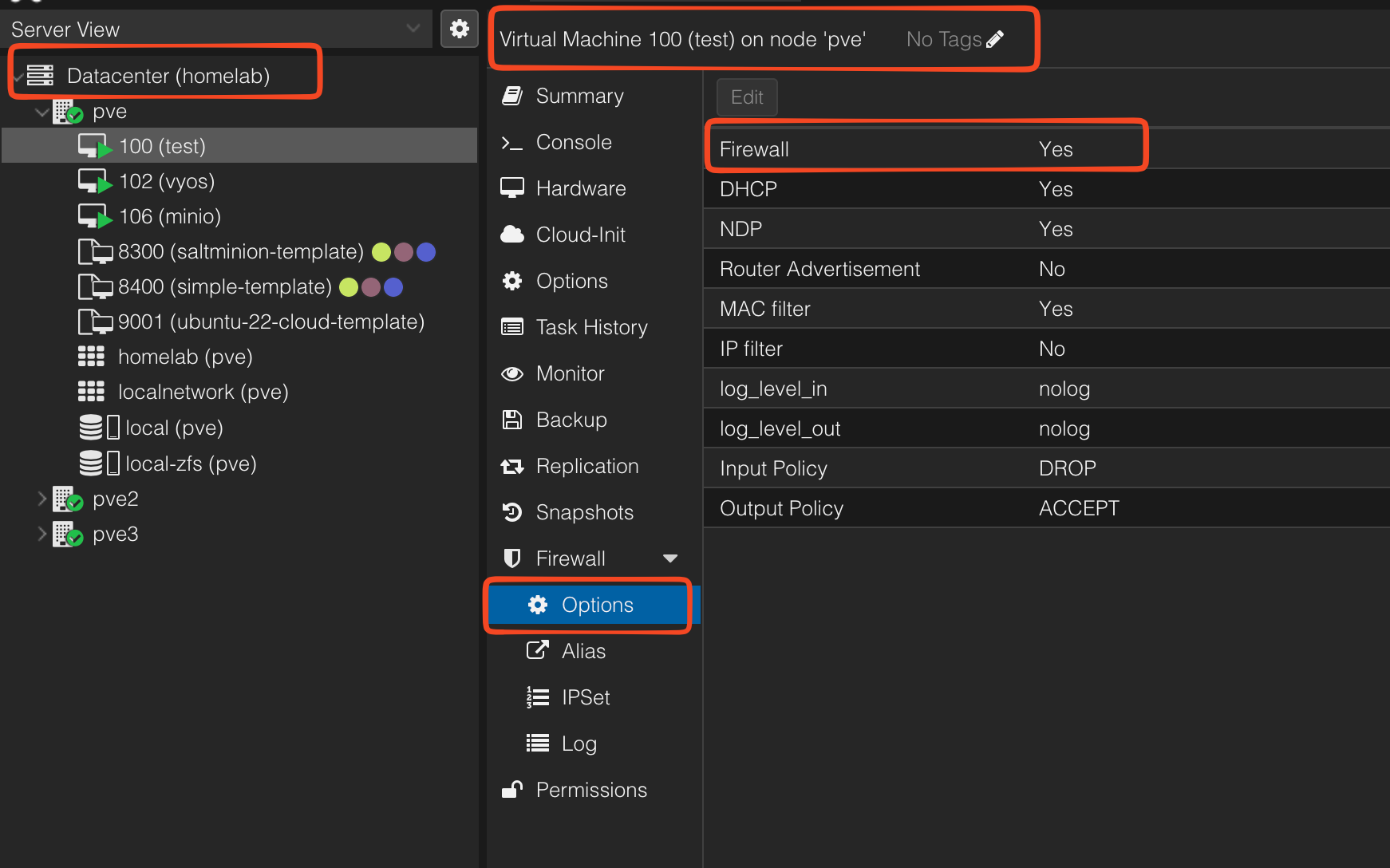
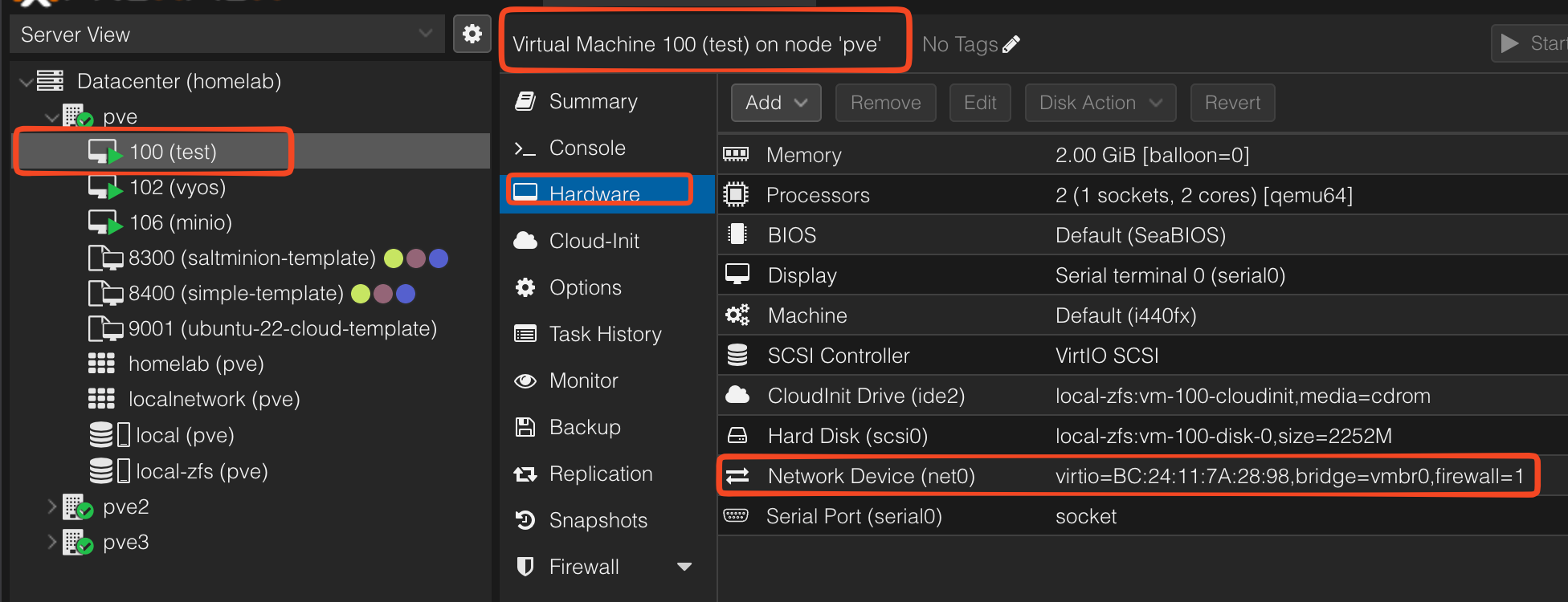
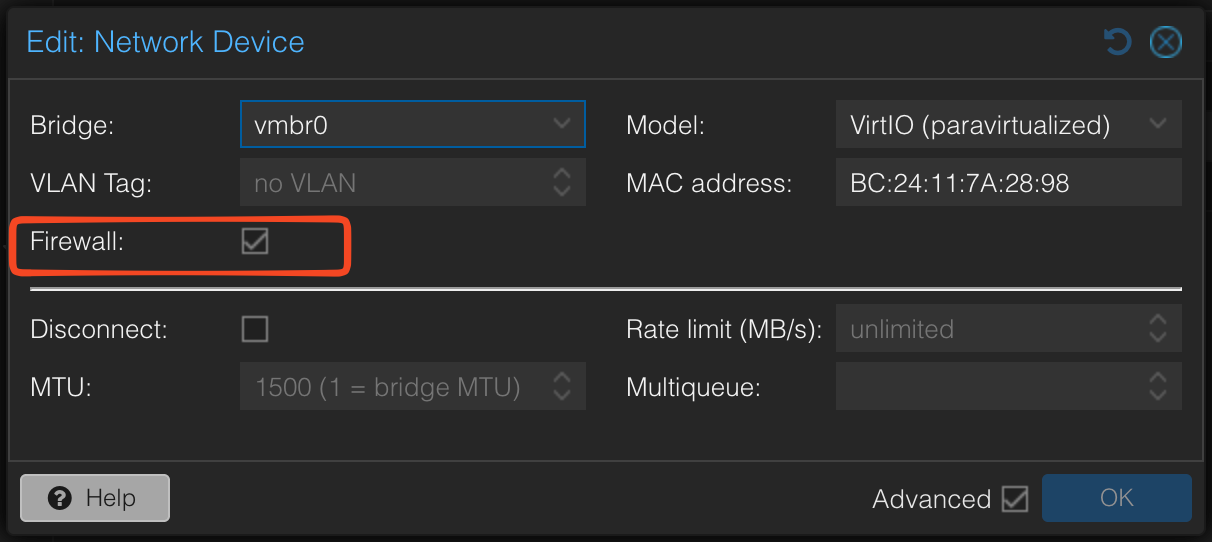
I’m not sure if this is a bug or not, but I needed to enable the VM firewall in two places for my Security Group (SG) rules to work.
- First in the options section of the VM
- Second, in the VM Hardware Level section, the vNIC itself needs to be enabled as well
Summary
If you followed these steps correctly, you should be able to granularly control access to your VMs!
Reference:
- https://ciaduck.blogspot.com/2020/04/proxmox-firewall-and-isolating-vms.html
- https://pve.proxmox.com/pve-docs/pve-admin-guide.html#chapter_pve_firewall
- https://www.naturalborncoder.com/2023/07/proxmox-firewall/?utm_source=chatgpt.com